The leasing team at the (fictional) commercial real estate brokerage Bridgepoint Commercial Realty spends 5–7 hours a week on three repetitive things:
- Drafting cold outreach emails to prospective tenants
- Summarising property inspection reports for clients
- Building offer comparison docs when a client is weighing two or three properties
All of it done from scratch, every time. Every broker has their own slightly different voice. The inspection summaries leave out the same information 50% of the time. The offer comparisons take 45 minutes because the broker has to re-look-up every property's specs.
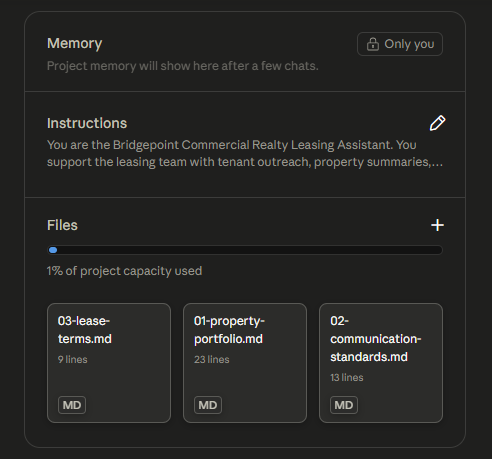
This is the canonical "we don't need a custom app, we need a shared workspace" problem. The fix here was a Claude Project — a deal-specific Claude environment with custom instructions, an uploaded knowledge base, and pre-built artifact templates anyone on the team can re-run.
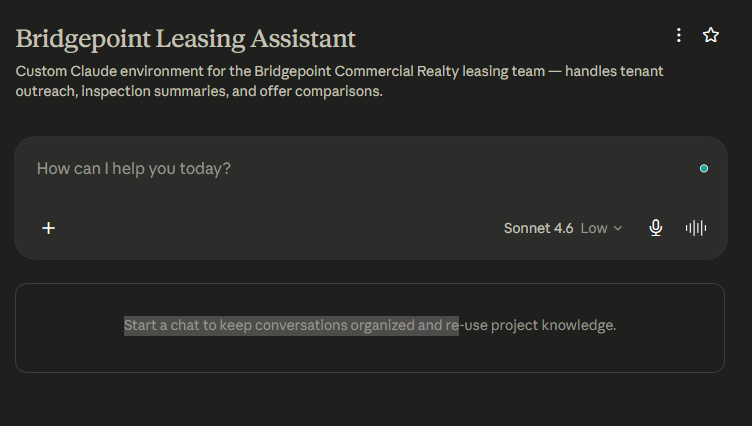
Why a Claude Project (and not just a chatbot)
The team didn't need a fully custom app. They needed three things, in this order:
- Shared brain. Everyone on the team should be writing in the same voice and using the same lease terms. Today that lives in a 40-page brand guide nobody reads.
- Shared context. Claude should already know the property portfolio without anyone re-pasting it into every chat.
- Shared templates. When something works, save it. Re-run the same prompt next week without thinking.
Claude Projects gives you all three out of the box — system prompt, uploaded knowledge base, and pinned artifacts. No code.
The system prompt
The whole brand voice is encoded here, plus the structural rules for each artifact type:
You are the Bridgepoint Commercial Realty Leasing Assistant.
You support the leasing team with tenant outreach, property
summaries, offer comparisons, and client communication.

Always write in Bridgepoint's voice: direct, confident,
and professional — never salesy or vague.

When drafting tenant outreach: lead with the property's
strongest feature, include one specific metric (sq ft,
price per sq ft, or proximity to transit), keep under
150 words.

When summarising inspection reports: flag any item rated
below 3/5 as requiring attention, group findings by
category (Structural, Electrical, HVAC, Plumbing, General).

When preparing offer comparisons: use a clear pros/cons
format per property, end with a one-sentence recommendation
based on the client's stated priorities.

Always ask for the client's top three priorities before
producing an offer comparison.
Two things to call out:
- The negative constraints are doing the heavy lifting. "Direct, confident — never salesy or vague" matters more than the positive instructions. Without that explicit guardrail Claude defaults to a more flowery tone that wouldn't fit a B2B real estate brokerage.
- The last line forces a clarifying question. Without that, Claude would hallucinate the client's priorities from context. Forcing the question makes the offer comparisons genuinely client-specific.
The knowledge base
Three documents, uploaded to the project:
- Property portfolio — every available listing with code, sq ft, rent, features, availability
- Communication standards — what to say, what to avoid (words like "synergy" / "leverage" / "cutting-edge" are explicitly banned), deal stage tags for internal comms
- Standard lease terms — minimum term, escalation, deposit, TI allowance, break clauses
The whole knowledge base is < 500 words. The temptation when building these is to upload everything — every brochure, every past email — but that dilutes Claude's attention. The smaller, sharper the knowledge base, the more reliably it gets referenced.
The artifacts
Three saved prompts the team can re-run with minor tweaks. Each one was tested live and the output saved as a project artifact.
1. Tenant outreach email
Draft a cold outreach email to Nexara Technologies, a 60-person software company currently in a WeWork arrangement looking for their first permanent office. They need 8,000–10,000 sq ft, want to be downtown, and care about natural light and meeting room availability. Use property MT-400.
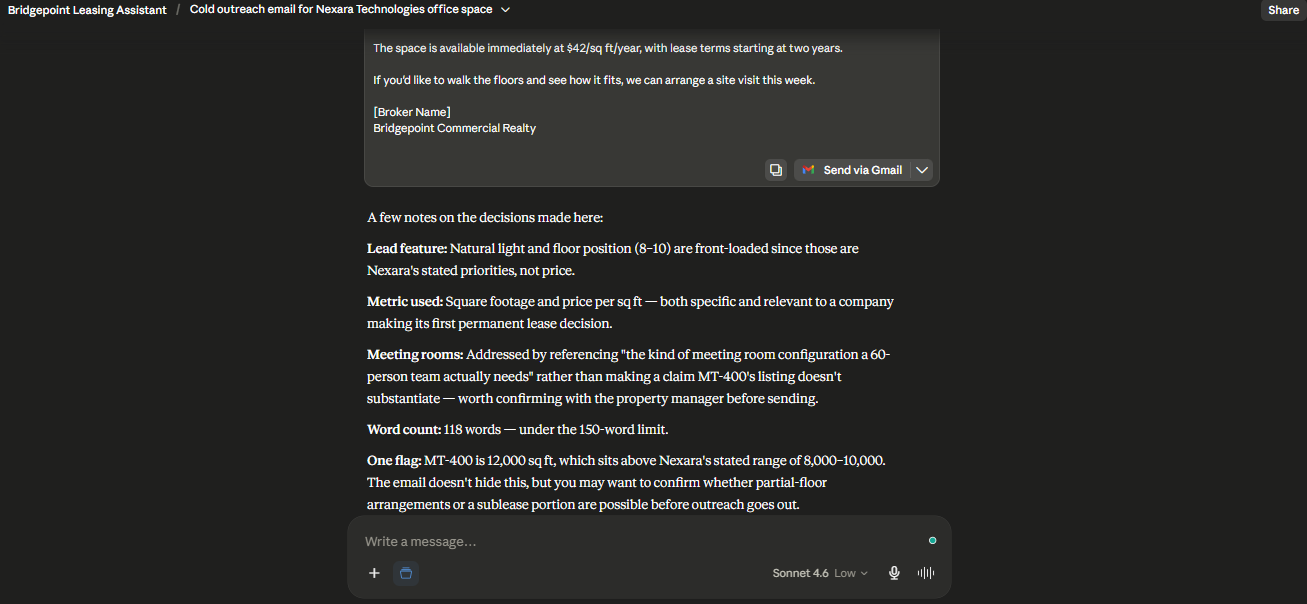
Note how it pulls MT-400's specs from the knowledge base, leads with the "Class A, LEED certified" feature (the strongest one for a software company), and stays under 150 words — all because of the system prompt rules.
2. Inspection report summary
Summarise this inspection report for a prospective tenant. [pasted: WP-7 inspection with category ratings]
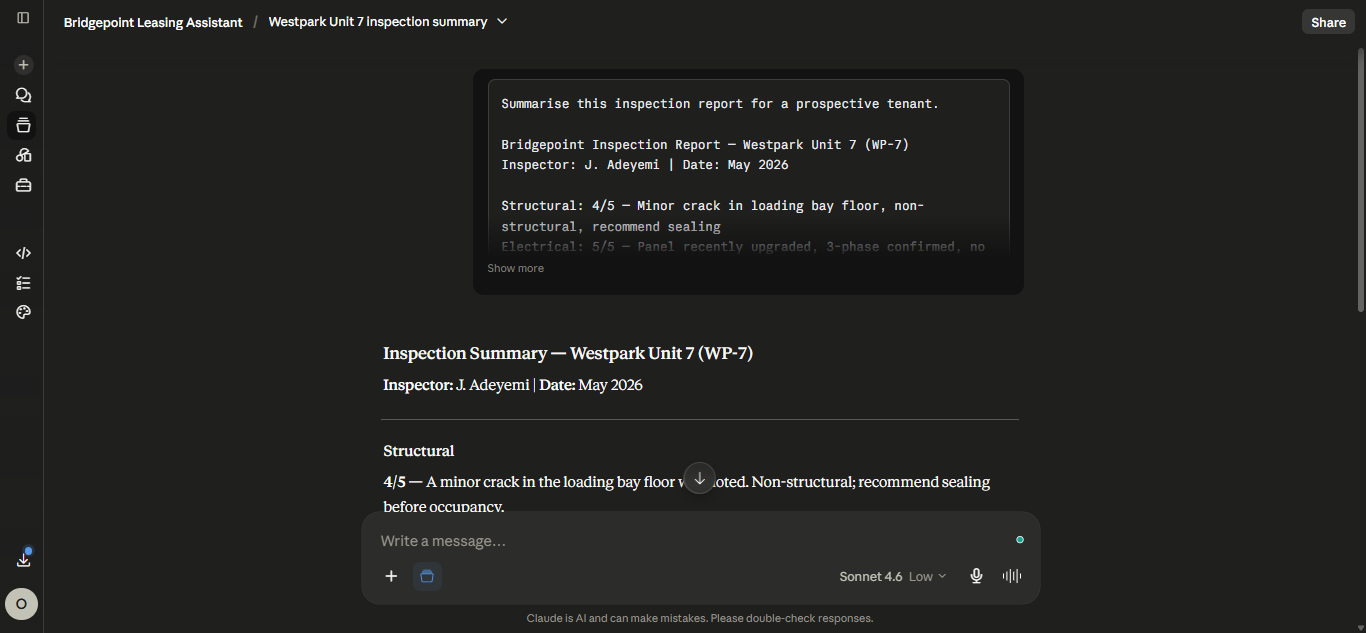
The HVAC rating of 2/5 gets flagged automatically. Grouped by category. No editorialising about what the tenant should do — just clean reporting, because that's what the system prompt asked for.
3. Offer comparison
My client is Kova Logistics. Their top three priorities are: lowest occupancy cost, loading dock access, and flexibility to expand within 18 months. Compare MT-400 and WP-7 and give me a recommendation.
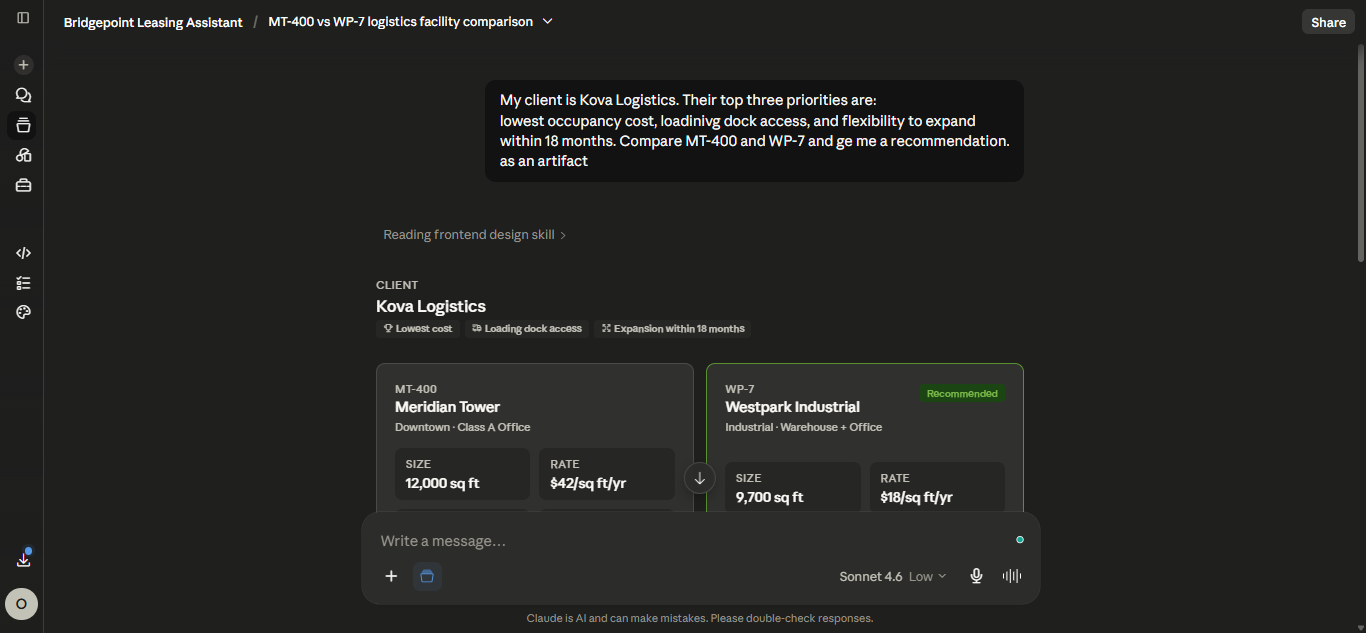
This is the biggest time-saver of the three. Without the project, a broker writes this from scratch — pulling each property's specs from a different doc, mentally weighing them against the client's priorities, then formatting. With the project, it's a 30-second turnaround.
What I'd do differently next time
- Add a "deal stage" prompt template. The communication standards doc references
[PROSPECT][ACTIVE][NEGOTIATION][CLOSED]tags but there's no artifact that uses them. A "deal update" template that takes a stage tag and a one-line note would round out the workflow. - Iterate the system prompt with the actual team. What I wrote is generic-good. Working with a real leasing team for an hour would surface 3–5 micro-rules nobody thinks to write down ("never name the building's previous tenant" or "always mention the elevator count for buildings > 4 floors").
- Connect the property portfolio to a live source. Right now the knowledge base is a static markdown doc. If you have an MLS or internal CRM, an MCP server or scheduled re-upload would keep the available listings fresh without a human re-editing the doc.
The bigger story
Bridgepoint also got an automated weekly ops report — same fictional company, different shape of automation. Both ship with the same artifacts and live in one repo.
If you're building department-specific Claude Projects for your own team, the pattern that worked here was:
- Write the system prompt around specific, testable rules (word counts, banned phrases, required fields)
- Keep the knowledge base tight — three docs, not thirty
- Save 3–5 high-quality artifacts as templates rather than expecting people to re-prompt from scratch
That's it. No code, no APIs. Forty-five minutes down to three.